DRAG
img
CSOS CSOS

Rapidiously myocardinate cross-platform intellectual capital model. Appropriately create interactive infrastructures

Get In Touch

img

789 Inner Lane, Holy park,

California, USA

Center of Standards in Organizational Safety
Home About CSOS Modules Why CSOS Services FAQ Contact Request Demo
Safety technology platform

Safety,
transformed.
Through expertise
and technology.

CSOS empowers organizations to build safer workplaces and stronger operations through practical safety expertise and connected digital solutions.

↓   SCROLL
ABOUT CSOS

Built on real-world
safety expertise.

CSOS Safe is a comprehensive, cross-platform Safety, Health & Environment Management System (SHEMS) developed by experienced safety professionals who understand the realities of managing workplace safety. Created by a team with over 20 years of hands-on experience in the Safety, Health & Environment (SHE) industry, CSOS Safe is designed to simplify compliance, streamline operations, and help organizations build a stronger safety culture through intelligent digital workflows. Whether you're in the office, on-site, or working remotely, access the plaƞorm seamlessly from web browsers, tablets, and mobile devices—keeping your teams connected anytime, anywhere.

Learn more about CSOS

Practical Expertise

Deep industry knowledge and hands-on experience across safety and operations.

Technology That Works

Digital solutions designed around the way your teams actually work.

Solutions That Adapt

Configurable platforms that flex to your processes, people and requirements.

Partnership That Lasts

We stay with you from implementation to continuous improvement.

Our approach

A continuous journey
towards safer
organizations.

01

Understand

We listen and understand your operations, risks and challenges.

02

Design

We design tailored solutions using the right technology and expertise.

03

Implement

We deploy, train and support your teams for seamless adoption.

04

Monitor

We provide real-time visibility and meaningful insights.

05

Improve

We drive continuous improvement for sustainable results.

Our flagship platform

e-SHEMS
Connected safety.
Complete visibility.

e-SHEMS connects your site operations to management intelligence in real time, giving teams a connected view of safety activities, compliance and performance.

01 Connected
Operations
02 Real-Time
Intelligence
03 Complete
Traceability
04 Data-Driven
Decisions
Explore e-SHEMS
e-SHEMS Dashboard
9:41 ● ●
My Workplace
Projects
Inspections
Audit
Incident
M&M
Training
Machinery
More
MODULES

Our Best Safety Solutions

CSOS was founded by a veteran safety professional with more than 20 years of industry experience in Safety, Health & Environment (SHE). The founder’s extensive involvement across diverse workplace safety and health environments shaped the vision of building a platform that could digitize safety management and use digital innovations to improve organizational safety standards and WSH culture, while remaining firmly grounded in the realities of day-to-day operations.
MODULES
MODULE 01

Permit To Work

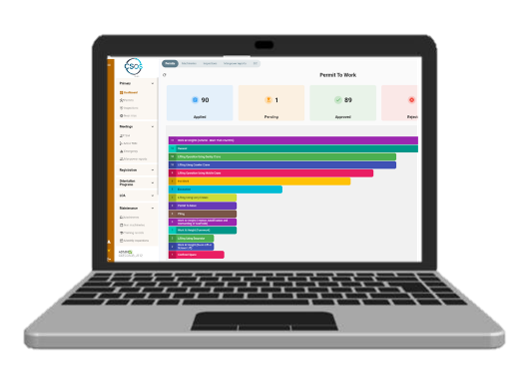
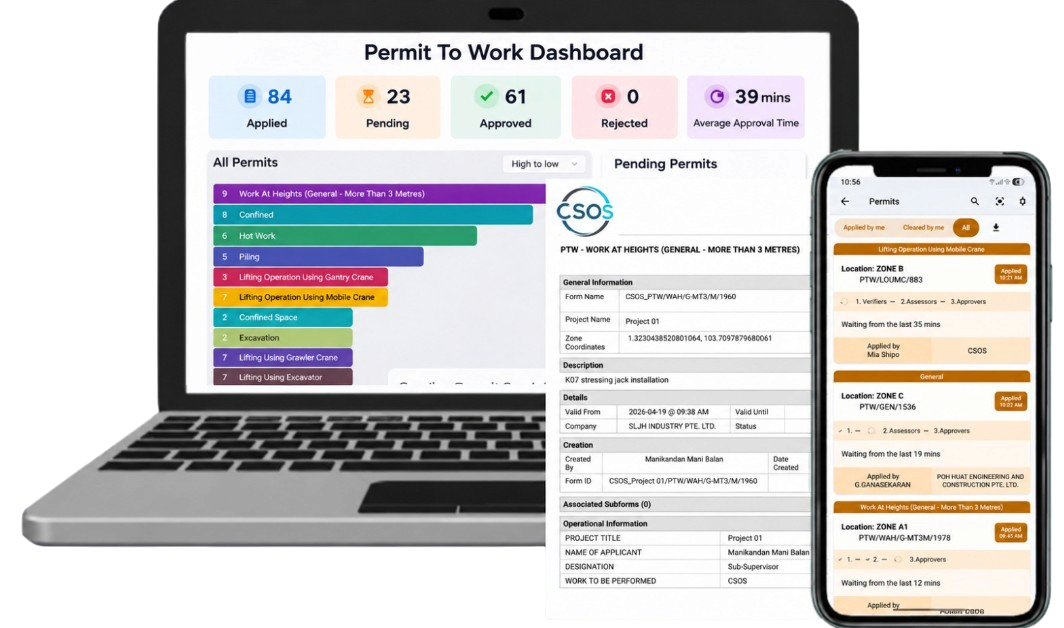
Enhance safety standards on site with a robust, best-in-class Permit to Work (PTW) system. The platform enables the creation of customizable electronic PTW templates for various high-risk activities such as hot work, lifting operations, and work at height.

Comprehensive risk assessments can be conducted within the system to ensure all necessary control measures are implemented before work commences. Users can assign machinery to specific locations and verify that all equipment holds valid certifications.

Relevant documents can be attached to each permit, while workers involved in the activity are identified and their competencies and credentials validated. The system features potential conflicting activities in close proximity before PTW approval, helping to prevent unsafe conditions. With real-time notifications, all stakeholders are promptly informed of submissions, approvals, rejections, and required actions.

Users can monitor the status of permits in real time, ensuring transparency and timely follow-up. Permits can also be extended when required, subject to proper review and approval. For high-risk operations such as confined space entry, the system allows users to view and track all personnel currently inside a specific confined space, enhancing accountability and emergency preparedness.

Managers benefit from a centralized dashboard that provides insights into permit approval timelines, including the time taken for individual permit approvals and the average approval duration across all permits, enabling performance monitoring and continuous improvement.
Permit To Work
MODULE 02

User Management

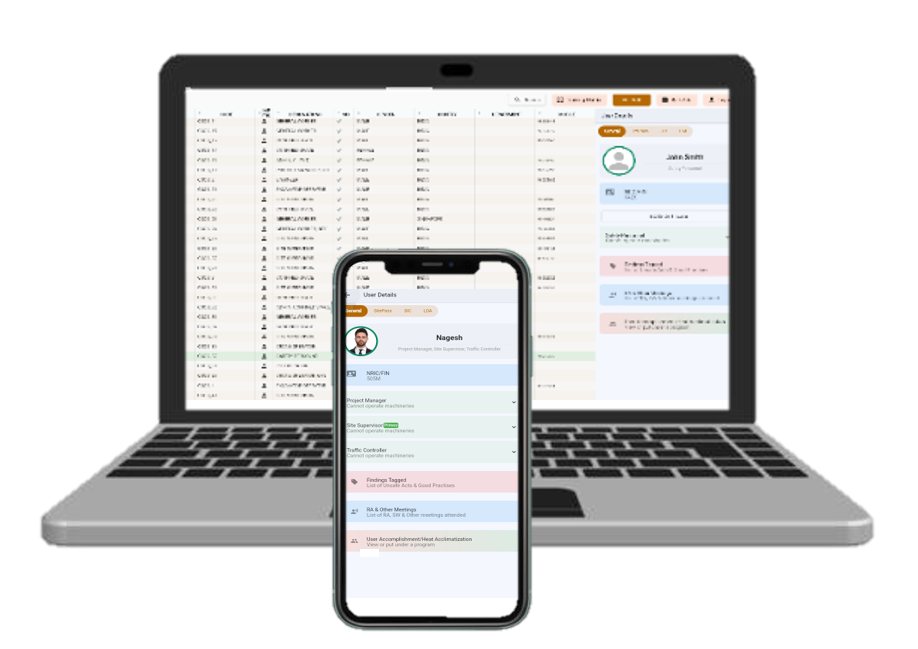
• Centralized platform to create, manage, and control all user accounts across the project

• Define role-based access levels (Worker, Supervisor, Operator, Safety Personnel, Manager, Admin)

• Assign permissions to ensure users can only access relevant modules and data

• Maintain detailed user profiles (personal details, company, trade, designation)

• Track user's status on inspection findings

• Track user's machinery license expiry, training records, Letter of Appointment, and good or unsafe practice records.
User Management
MODULE 03

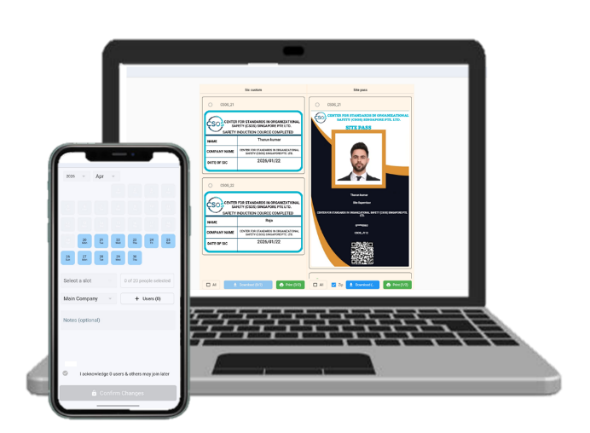
Safety Induction

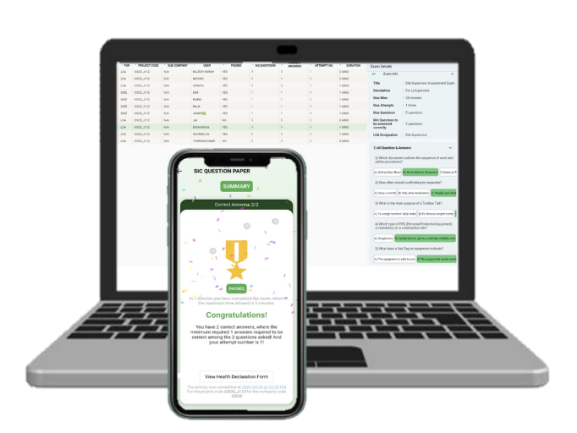
• Digital registration and scheduling of induction sessions

• Capture attendance via QR code or mobile devices

• Deliver standardized safety content (site rules, hazards, emergency procedures)

• Conduct quizzes/assessments to validate understanding

• Store induction completion status and validity period

• Restrict site access for workers who have not completed induction

• Automated alerts for induction expiry and refresher requirements

• Maintain full audit trail of induction records
Safety Induction
MODULE 04

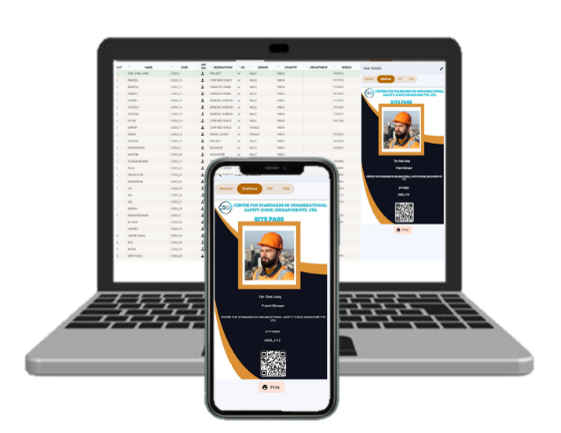
Site Pass Issuance

• Generate digital site passes linked to worker profiles

• Verify prerequisites (induction, certifications, documents)

• Include QR/barcode for access control and scanning at entry points

• Track validity, expiry dates, and renewal status

• Enable real-time validation to prevent unauthorized access

• Individual users non-compliances and good practices can be retrieved via this QR code.
Site Pass Issuance
MODULE 05

Competency Assessment

• Conduct digital competency evaluations for trades and specific activities

• Link competencies to high-risk activities (lifting, WAH, confined space, etc.)

• Ensure only trained and competent workers are assigned to tasks

• Monitor expiry of certifications and trigger reassessment alerts

• Maintain competency history for each worker
Competency Assessment
MODULE 06

Letters of Appointment

• Digitally issue Letters of Appointment for key roles and responsibilities

• Applicable for supervisors, lifting supervisors, riggers, safety personnel, etc.

• Clearly define scope of duties and accountability

• Store documents securely and link to user profiles

• Track validity and renewal requirements

• Ensure only appointed personnel perform designated roles

• Provide easy retrieval during inspections and audits
Letters of Appointment
MODULE 07

PPE Management

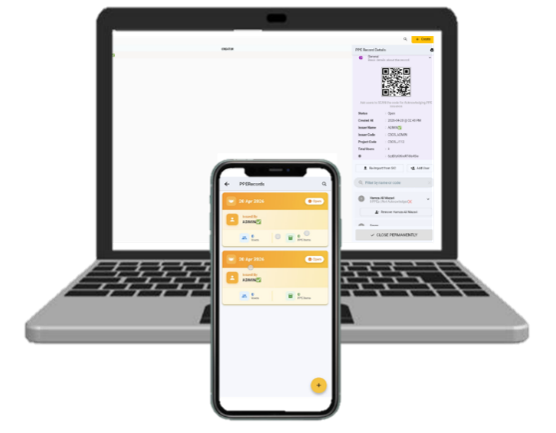
• Record issuance of PPE to individual workers

• Track PPE type, quantity, serial number (if applicable), and issue date

• Monitor PPE condition and replacement schedule

• Ensure workers are equipped with mandatory PPE before work

• Generate alerts for expired PPE

• Support compliance checks during inspections
PPE Management
MODULE 08

New Worker Management

• Register new workers with complete personal and employment details

• Upload and verify required documents (ID, work permit, certificates)

• Assign buddy to assist the new worker during the monitoring period

• Track onboarding progress and approval status

• Ensure compliance before granting site access

• Maintain comprehensive onboarding history
New Worker Management
MODULE 09

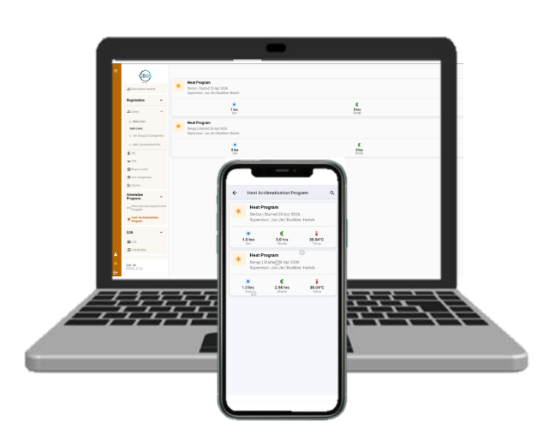
Heat Acclimatization

• Monitor new and returning workers exposed to hot environments

• Implement gradual acclimatization plans

• Track working hours and exposure levels

• Enforce work-rest cycles in compliance with regulations

• Generate alerts for high heat stress conditions

• Reduce risk of heat-related illnesses
Heat Acclimatization
MODULE 10

Visitor Passes

• Register visitor details prior to site entry

• Issue temporary digital visitor passes

• Ensure completion of safety briefing/induction for visitors

• Track entry and exit timings for accountability

• Restrict access to designated areas only

• Maintain visitor logs for emergency tracking and audits
Visitor Passes
MODULE 11

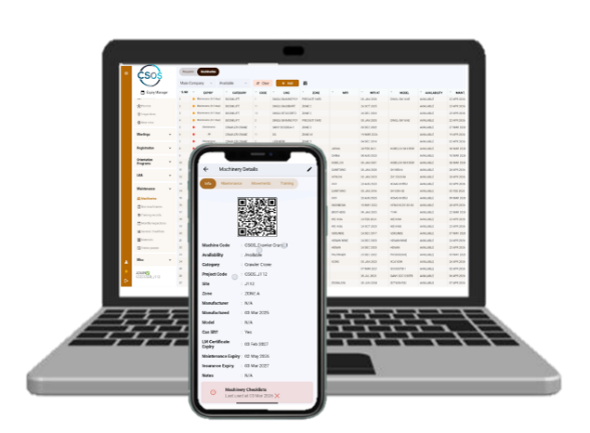
Machinery Management

• Maintain a registry of all machinery on site

• Track certifications, permits, and maintenance status

• Retrieve the details via unique QR code of the specific machinery on site

• Schedule routine inspections and preventive maintenance

• Link machinery to authorized and certified operators

• Monitor machinery deployment and location

• Generate alerts for expired certificates or overdue inspections
Machinery Management
MODULE 12

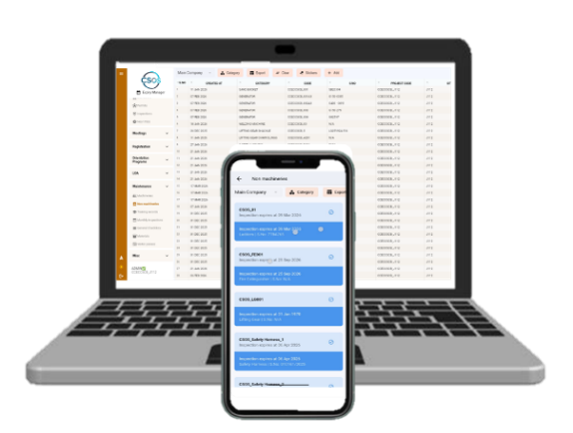
Non-Machinery Management

• Track tools and non-powered equipment on site

• Maintain inspection and maintenance records

• Ensure tools are in safe working condition

• Assign tools to responsible personnel or teams

• Monitor usage and availability

• Prevent use of defective or non-compliant equipment
Non-Machinery Management
MODULE 13

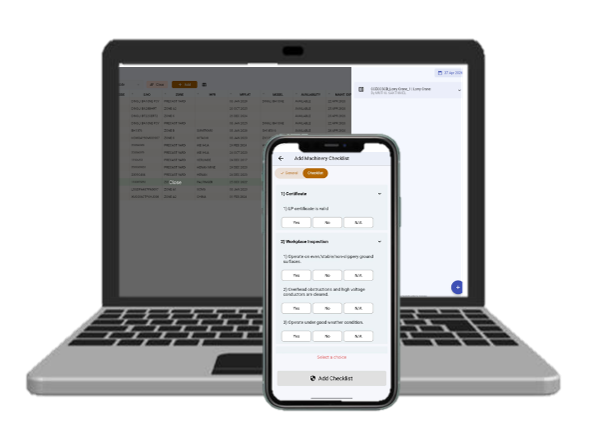
Machinery Checklist (Pre-Operational)

• Digital pre-operational checklist for machinery before use

• Cover critical safety checks (brakes, lights, alarms, controls, structure etc.)

• Completed by operators via mobile devices

• Capture defects with photos and comments

• Prevent usage of faulty or unsafe machinery

• Assign maintenance or repair actions when issues are identified

• Maintain daily inspection records for compliance
Machinery Checklist (Pre-Operational)
MODULE 14

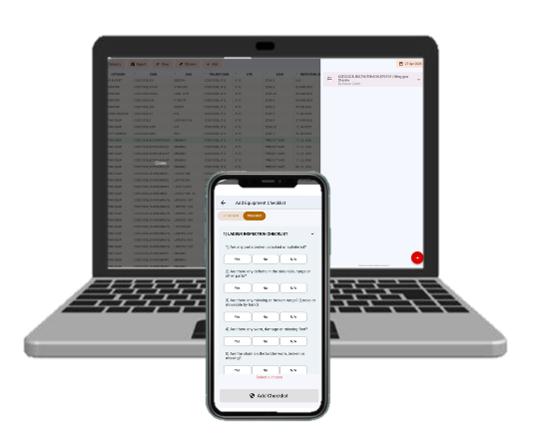
Equipment Checklist (Pre-Operational)

• Customizable checklists based on equipment type (e.g., excavator, crane, boom lift, generator)

• Accessible via mobile devices for easy on-site completion

• Mandatory checklist submission before equipment activation

• Prevent operation of equipment without completed checklist

• Maintain daily inspection records for audit and compliance

• Ensure only authorized and competent operators can submit checklists

• Link checklist records to specific equipment and operator
Equipment Checklist (Pre-Operational)
MODULE 15

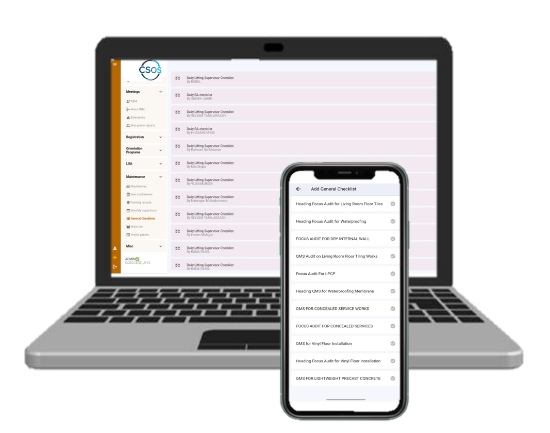
General Checklists

• Create customizable digital checklists for various site activities and locations

• Cover safety, quality, housekeeping, and compliance requirements

• Accessible via mobile devices for on-site usage

• Capture observations with photos and comments

• Assign actions for any identified issues

• Track completion status and checklist history

• Standardize inspection practices across the project
General Checklists
MODULE 16

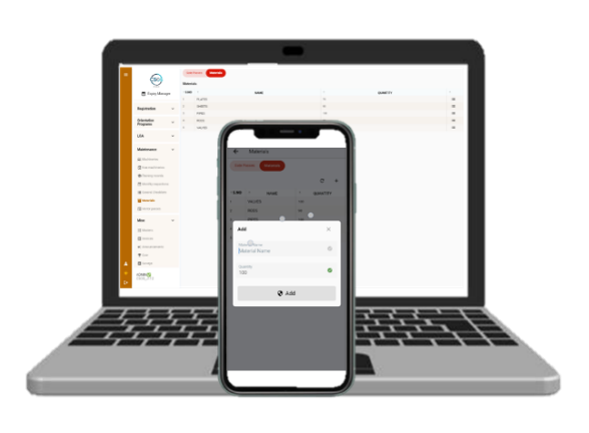
Materials Management

• Track material delivery, storage, and movement on site

• Track materials under the specific contractors

• Maintain records of material specifications and approvals

• Monitor stock levels and movement
Materials Management
MODULE 17

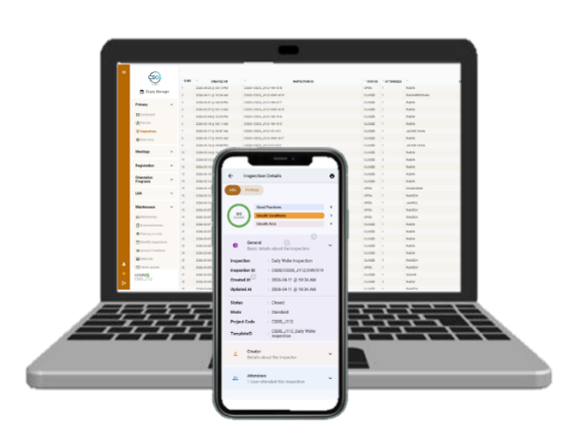
Inspections

• Conduct routine and ad-hoc inspections via mobile devices

• Record observations, unsafe acts, and unsafe conditions

• Raise non-compliance reports (NCRs) instantly

• Assign corrective actions to responsible personnel

• Track status of findings until closure with evidence

• Track noncompliance assigned to specific contractor

• Track noncompliance assigned to specific person

• Generate inspection reports and analytics
Inspections
MODULE 18

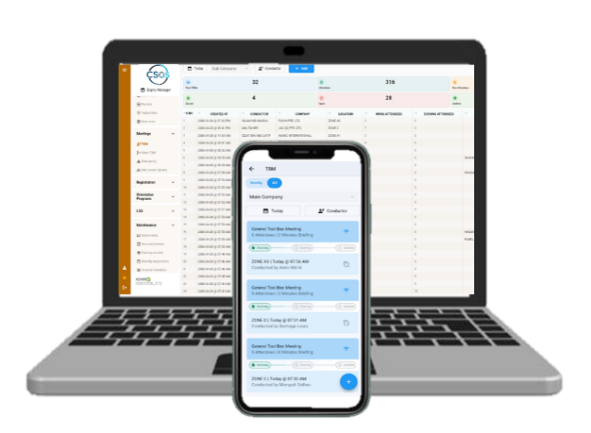
Toolbox Meetings (TBM)

• Schedule daily or activity-based TBM sessions

• Record attendance digitally (QR/mobile-based)

• Share key safety messages, hazards, and control measures

• Attach photos, documents, or method statements

• Ensure workforce understanding through brief interactions or quizzes

• Maintain records for audit and compliance purposes
Toolbox Meetings (TBM)
MODULE 19

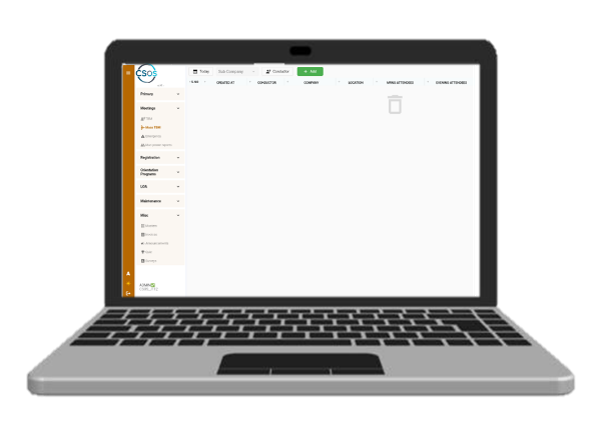
Mass Toolbox Meeting (MTBM)

• Enables planning and execution of large-scale safety briefings involving multiple work teams, subcontractors, or entire site workforce

• Suitable for high-risk activities, major work phases, or critical safety campaigns

• Real-time visibility of attendance and participation rates

• Dashboard view by company, trade, or department

• Generate MTBM reports for audits and compliance

• Maintain historical records of all sessions conducted
Mass Toolbox Meeting (MTBM)
MODULE 20

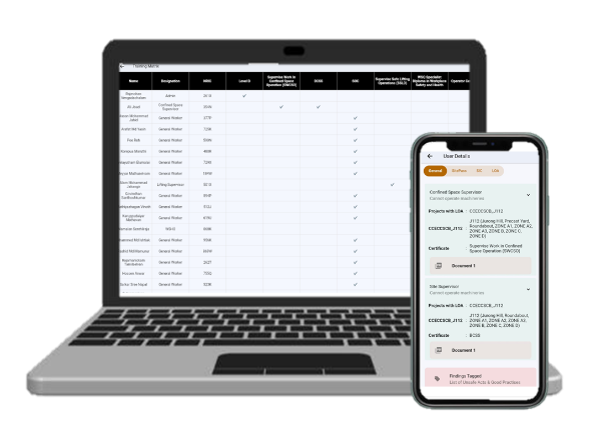
Training Matrix

• Maintain a centralized record of all worker training and certifications

• Map required training against job roles and responsibilities

• Track training validity, expiry dates, and renewals

• Identify training gaps and non-compliance

• Provide dashboard view for overall workforce competency status
Training Matrix
MODULE 21

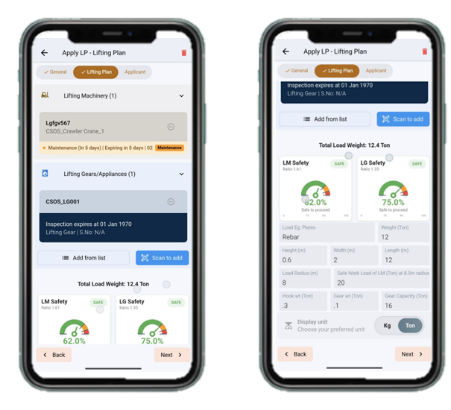
Lifting Plan

• Create and manage detailed lifting plans digitally

• Capture lift details (load weight, radius, crane capacity, method)

• Attach supporting documents (drawings, calculations, risk assessments)

• Assign roles (lifting supervisor, rigger, signalman)

• Ensure approvals before lifting operations

• Link lifting plan to PTW and competency of personnel

• Maintain records for compliance and audit
Lifting Plan
MODULE 22

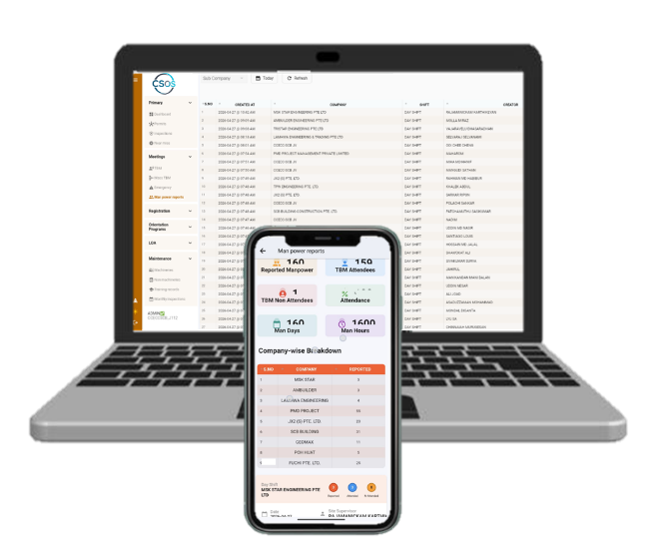
Manpower Record

• Daily tracking of workforce attendance and deployment

• Record details by company, trade, and work location

• Monitor manpower distribution across activities and zones

• Link manpower to specific PTWs, TBMs, or work tasks

• Provide real-time visibility of workforce on site

• Support reporting for management and compliance
Manpower Record
MODULE 23

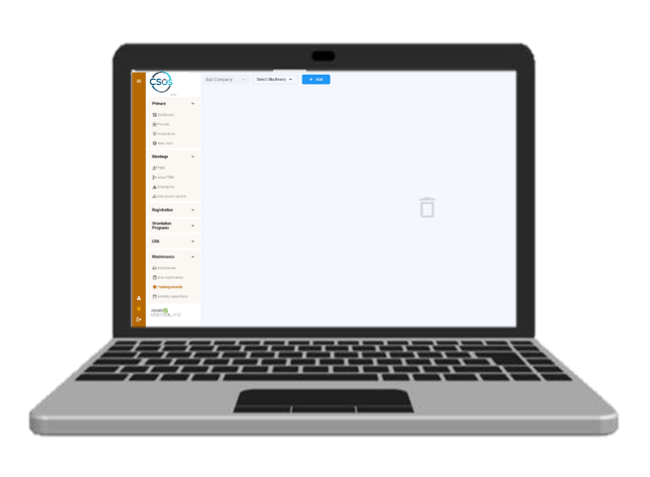
Training Records

• Maintain digital records of all worker training sessions

• Capture details (training type, date, trainer, participants)

• Upload supporting documents and certificates

• Track training validity and expiry dates

• Link training records to competency and training matrix

• Identify gaps and plan future training programs

• Provide audit-ready documentation
Training Records
MODULE 24

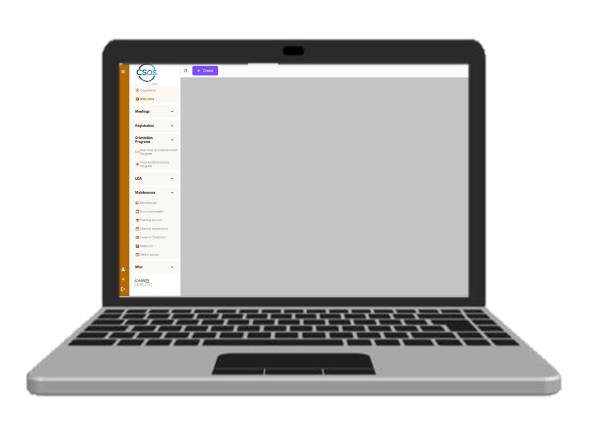
Near Miss Report

• Digital reporting aligned with LTA near miss reporting requirements

• Capture incident details (date, time, location, activity, description)

• Classify type of near miss and potential severity

• Record immediate actions taken and recommended preventive measures

• Upload photos, sketches, or supporting documents

• Assign investigation responsibility and track follow-up actions

• Maintain records for analysis, trend monitoring, and reporting
Near Miss Report
MODULE 25

Monthly Inspection

• Plan and schedule mandatory monthly inspections

• Use standardized digital inspection checklists

• Cover key areas such as safety compliance, housekeeping, and equipment

• Assign inspection teams and responsibilities

• Record findings with photos and detailed comments

• Raise and track non-conformities to closure

• Generate monthly inspection reports for management review
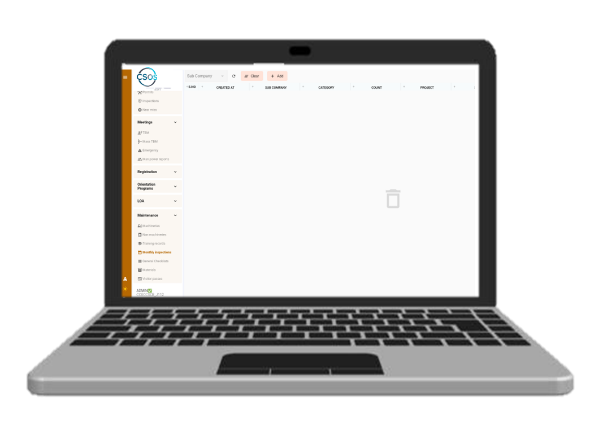
Monthly Inspection
MODULE 26

Emergency Response Record (Based on Morning TBM)

• Record emergency preparedness briefings conducted during morning TBM

• Capture attendance and topics covered (fire, evacuation, rescue procedures)

• Identify emergency roles (first aider, fire warden, rescue team)

• Log drill scenarios and response instructions

• Track worker awareness and readiness

• Maintain records for compliance and audit

• Support continuous improvement in emergency response planning
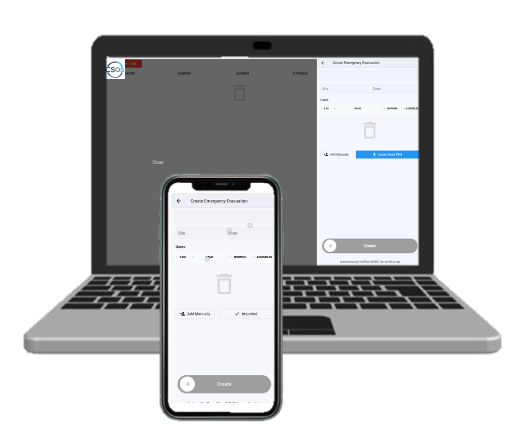
Emergency Response Record (Based on Morning TBM)
MODULE 27

Announcements

• Broadcast important safety and operational updates to all users

• Share alerts, reminders, and critical instructions in real time

• Target specific groups (workers, supervisors, management)

• Attach documents, images, or videos for clarity

• Track acknowledgment or read status

• Ensure effective communication across the workforce
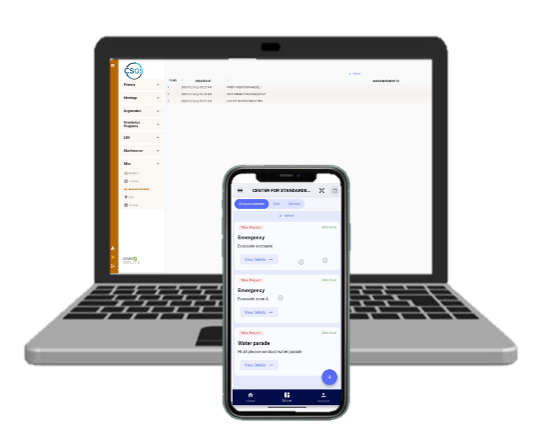
Announcements
MODULE 28

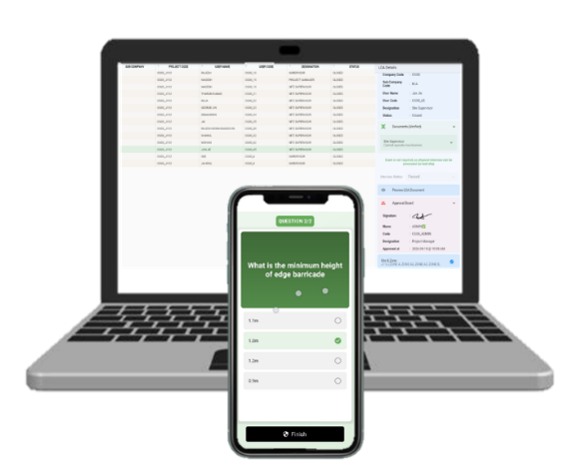
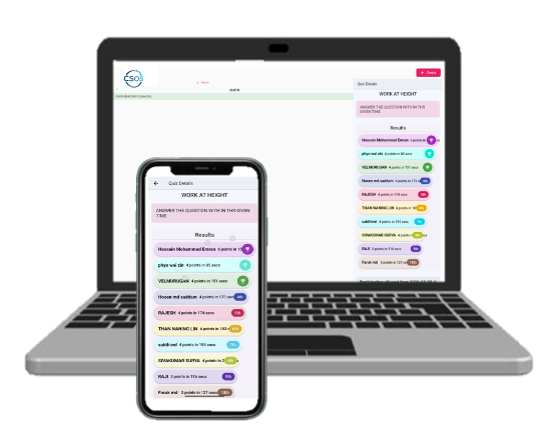
Quiz

• Conduct safety quizzes to reinforce knowledge and awareness

• Create topic-based questionnaires (PPE, WAH, lifting, etc.)

• Accessible via mobile devices for easy participation

• Auto-evaluate responses and generate scores

• Track participation and performance records

• Support continuous safety learning and engagement
Quiz
MODULE 29

Survey

• Conduct surveys to gather worker feedback on safety and site conditions

• Create customizable survey forms (safety culture, welfare, feedback)

• Allow anonymous or identified responses

• Analyse responses for trends and improvement areas

• Support management decision-making

• Enhance worker engagement and communication
Survey
MODULE 30

Dashboard (SIC, Inspection, Manpower, Permit Status)

• Centralized dashboard providing real-time project insights

• Monitor Safety Induction (SIC) completion and status

• Track inspection results, open/closed findings, and trends

• View manpower distribution by trade, company, and location

• Monitor PTW status (pending, approved, rejected, expired)

• Display key performance indicators (KPIs) and compliance rates

• Enable data-driven decision-making for management
Dashboard (SIC, Inspection, Manpower, Permit Status)
Why CSOS
20+ Years of Industry
Safety Experience
WHY CSOS?

Built from Real Industry Experience

Unlike generic software, CSOS Safe was designed by professionals who have spent decades managing safety, health, and environmental compliance across complex project environments.

Every feature is developed to address real operational challenges faced by Safety Officers, HSE Managers, Project Managers, Contractors, and field personnel.

01

Meeting Regulatory Compliance

Support compliance requirements with structured safety processes and centralized records.

02

Reducing Workplace Risks

Identify hazards, monitor controls and address unsafe conditions before they become serious incidents.

03

Improving Operational Efficiency

Replace manual processes with streamlined digital workflows that save time and improve accountability.

04

Managing Permits & Inspections

Manage permits, inspections, findings and corrective actions from one centralized platform.

05

Maintaining Accurate Safety Records

Keep reliable, audit-ready safety records accessible whenever they are needed.

06

Delivering Real-Time Insights

Turn safety data into actionable insights through real-time reporting and dashboards.

Because we've experienced these challenges firsthand.

Empowering Organizations to Build Safer Workplaces Through Digital Innovation

We believe technology should simplify safety management — not complicate it. Our mission is to equip organizations with a smart, reliable, and user-friendly platform that enables proactive risk management, improves collaboration, and supports continuous improvement in Safety, Health & Environment performance.

01

Proactive Safety

Identify risks early and take preventive action before incidents occur.

02

Smarter Operations

Replace fragmented processes with connected digital safety workflows.

03

Continuous Improvement

Turn safety data into meaningful insights that drive better decisions.

INDUSTRY SUPPORT

Every industry.
Every challenge.

EXPERTISE YOU CAN TRUST

Developed by Industry Experts. Trusted by Safety Professionals.

CSOS Safe is backed by more than 20 years of practical Safety, Health & Environment expertise gained across construction, infrastructure, engineering, manufacturing, and industrial sectors.

01

Real Industry Experience

Designed by professionals with hands-on experience managing safety, health and environmental requirements across complex project environments.

02

Practical Safety Solutions

Every feature is built around real operational challenges faced by Safety Officers, HSE Managers, Project Managers and field personnel.

03

Data-Driven Decisions

Transform safety data into meaningful insights through centralized records, real-time reporting and management dashboards.

04

Built for Operational Reality

CSOS combines industry knowledge with modern technology to create a practical, intuitive and scalable safety management platform.

20+ Years of Industry
Experience
360° Safety Management
Approach
24/7 Real-Time Safety
Visibility
INDUSTRY KNOWLEDGE

Technology built around how safety professionals actually work.

CSOS Safe Cross Platform
08
Connected Platform Features
Cross-Platform by Design

Work Anywhere. Manage Everything.

CSOS Safe provides a seamless experience across multiple platforms, allowing your teams to stay connected wherever work takes them.

  • 01

    Web Application

    Access your safety management platform from anywhere.

  • 02

    Android Mobile App

    Manage safety activities directly from the field.

  • 03

    iOS Mobile App

    Enjoy a responsive experience across iOS devices.

  • 04

    Tablet Support

    Enjoy a responsive experience across tablet devices.

  • 05

    Cloud-Based Platform

    Securely access your project data from the cloud.

  • 06

    Real-Time Synchronization

    Keep information synchronized across your teams.

  • 07

    Secure Role-Based Access

    Give every user access to the information they need.

  • 08

    Offline Data Capture with Automatic Sync

    Capture information offline and synchronize automatically.

Whether you're approving permits from the office or conducting inspections in the field, your data remains synchronized and accessible in real time.

e-SHEMS Technical Support Services

Reliable technical support to keep your safety management platform running smoothly and efficiently.

e-SHEMS offers technical support during office hours. The support team is available to promptly resolve technical issues, ensuring minimal disruption and continuous site operations.
Our technical support is delivered by a team of qualified and experienced professionals with in-depth knowledge of the e-SHEMS platform. The team is fully equipped to handle system-related issues, user queries, and technical challenges efficiently.

All reported issues are systematically logged, tracked, and resolved through a structured support process. The team performs root cause analysis to prevent recurrence and ensures that problems are addressed promptly and effectively.

Continuous system monitoring is conducted to detect potential issues before they impact operations. Preventive maintenance activities are performed regularly to maintain system stability and reliability.
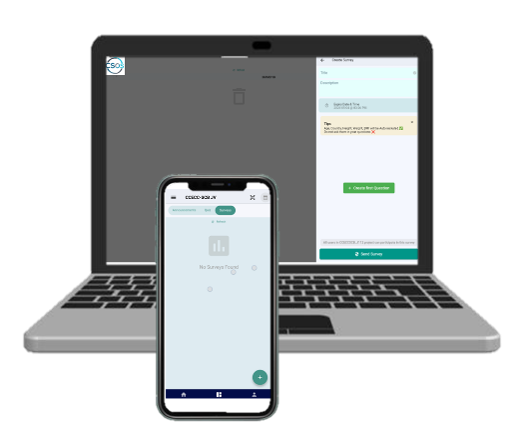
Regular system updates, enhancements, and security patches are deployed to ensure the platform remains secure, up-to-date, and aligned with industry standards and client requirements.

End-users are provided with ongoing support, including guidance on system usage, troubleshooting assistance, and best practices. Additional training sessions can be arranged when required.

A structured escalation process is in place to ensure that critical issues are prioritized and resolved efficiently. Complex issues are escalated to senior technical specialists when necessary.

The system is continuously monitored for performance, and optimization measures are implemented to ensure fast response times, system efficiency, and a seamless user experience.

Trusted by the People Who Manage Safety

Built around real-world safety challenges, CSOS helps safety professionals simplify compliance, improve visibility, and make better decisions every day.

"
★★★★★

CSOS gives our safety team much better visibility across inspections, permits, workforce compliance, and corrective actions. It brings everything together in one platform.

SP

Safety Professional

Construction Industry
"
★★★★★

The platform makes it easier for our teams to maintain accurate safety records and follow up on outstanding actions. The digital approach significantly reduces manual work.

PM

Project Manager

Engineering Sector

Let’s build a safer,
smarter
tomorrow.

Get In Touch

Let's Build a Safer Future Together

Whether you want to learn more about CSOS Safe, discuss your organization's safety requirements, or need technical assistance, our team is ready to help.

Singapore Office
Singapore Office

123 Orchard Road, #05-01
Singapore 238858

India Office
India Office

SF.No.483/1E, 483/2B1, Plot No.50, Nova Pinnacle
Kuppakonanpudur, Coimbatore North,
Coimbatore - 641038,
Tamil Nadu, India

CSOS Safety Technologies - India Office SF.No.483/1E, 483/2B1, Plot No.50, Nova Pinnacle, Kuppakonanpudur, Coimbatore - 641038, Tamil Nadu, India
Start a Conversation

Let's Talk About Your Safety Needs

Have questions about CSOS Safe or want to understand how digital safety management can support your organization? Send us a message and our team will get back to you.

Get in Touch